The Allure of Infrared Photography
What Is Infrared Photography?
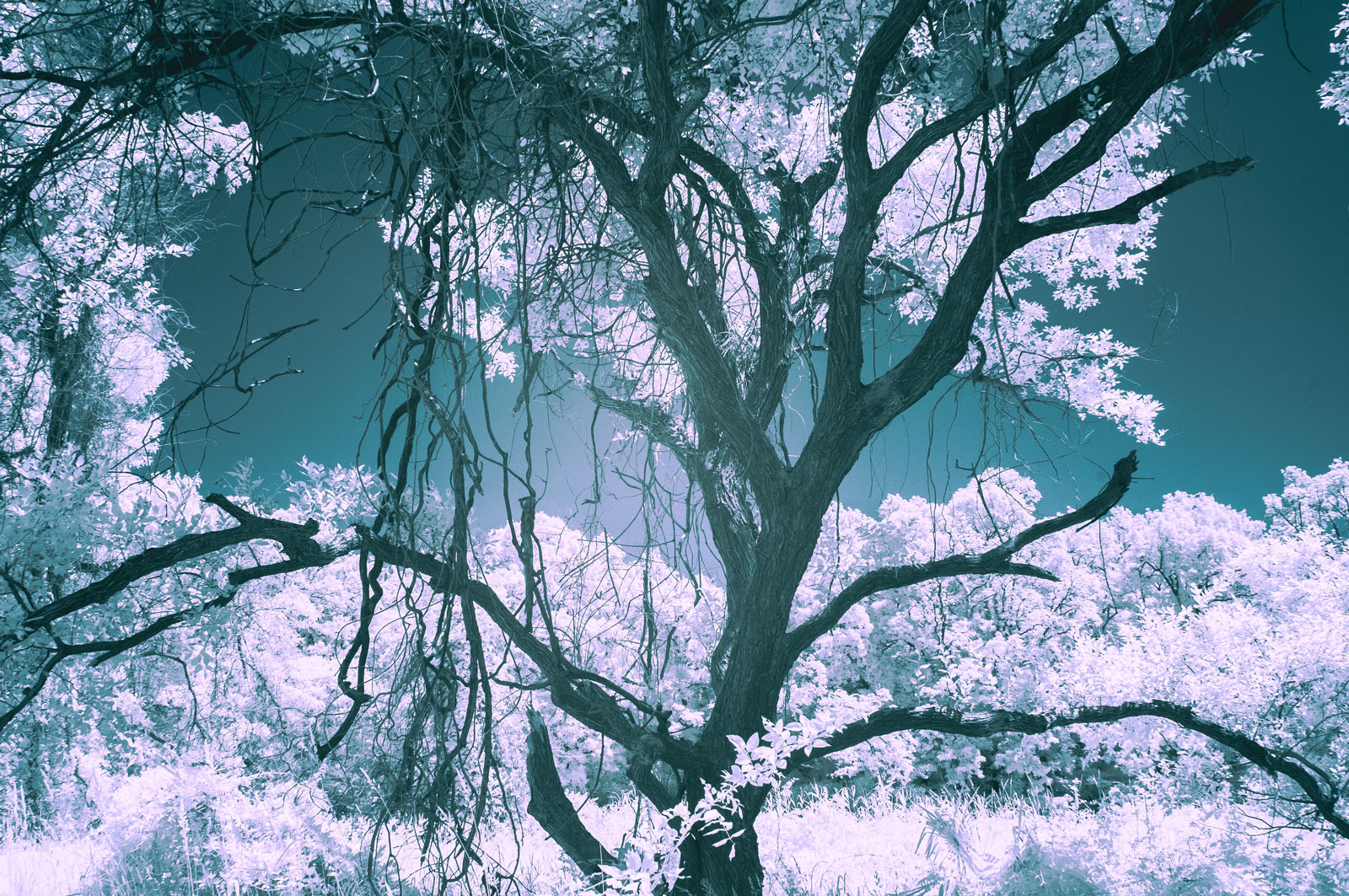
Infrared photography captures images using near-infrared light, which has a longer wavelength than visible light and cannot be seen by the human eye.
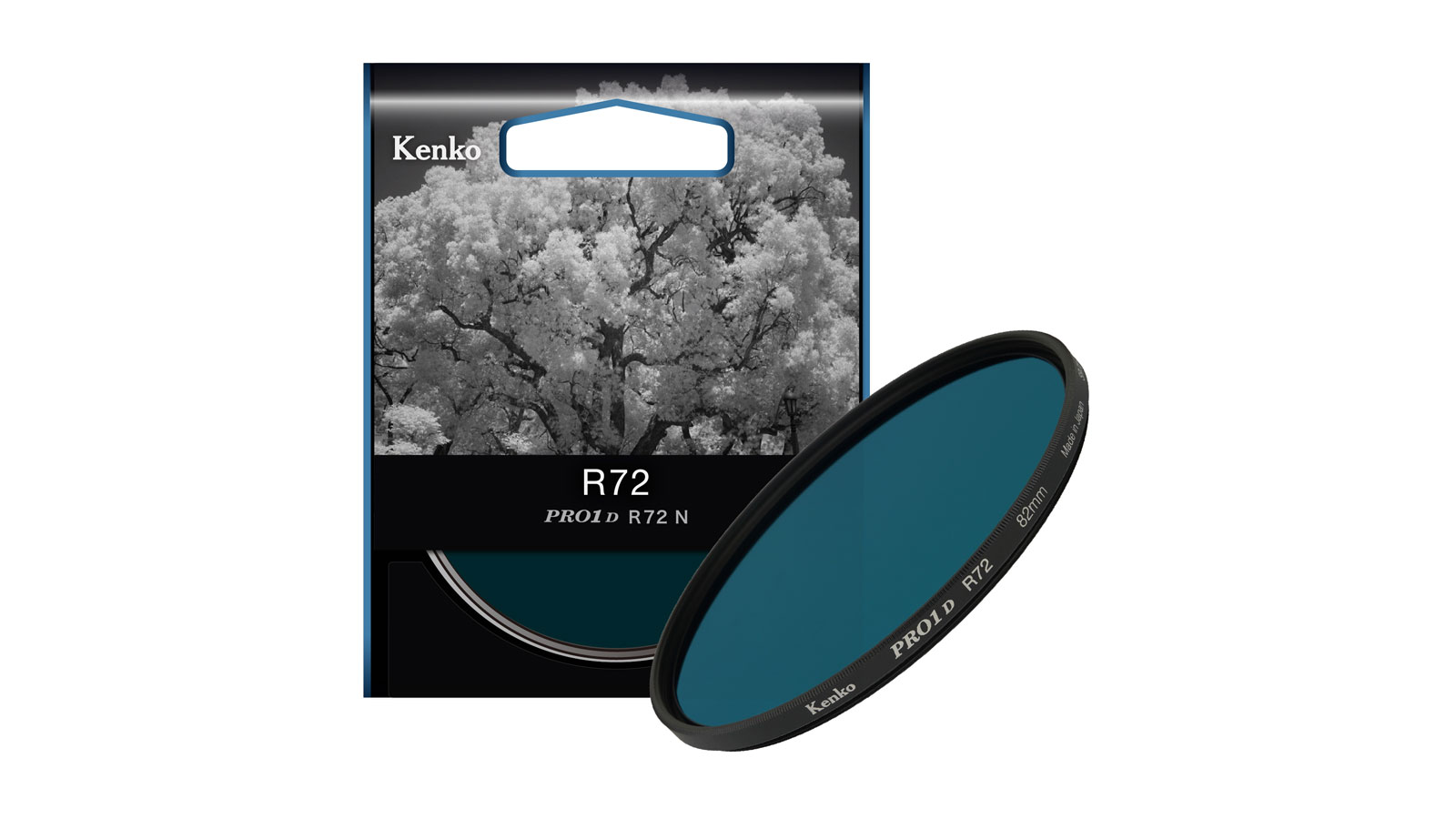
To create infrared photographs, a dedicated infrared filter such as the Kenko PRO1D R72 is attached to the lens. This filter blocks most visible light while allowing near-infrared wavelengths to pass through. The PRO1D R72 cuts wavelengths below 720nm, making it possible to record light that is normally invisible to us.
Although digital cameras are equipped with low-pass filters that reduce infrared sensitivity, most cameras still retain a limited ability to detect near-infrared light. By taking advantage of this characteristic and using an infrared filter, photographers can produce images with a distinctive and otherworldly appearance.
Infrared Photography Compared to Conventional Photography
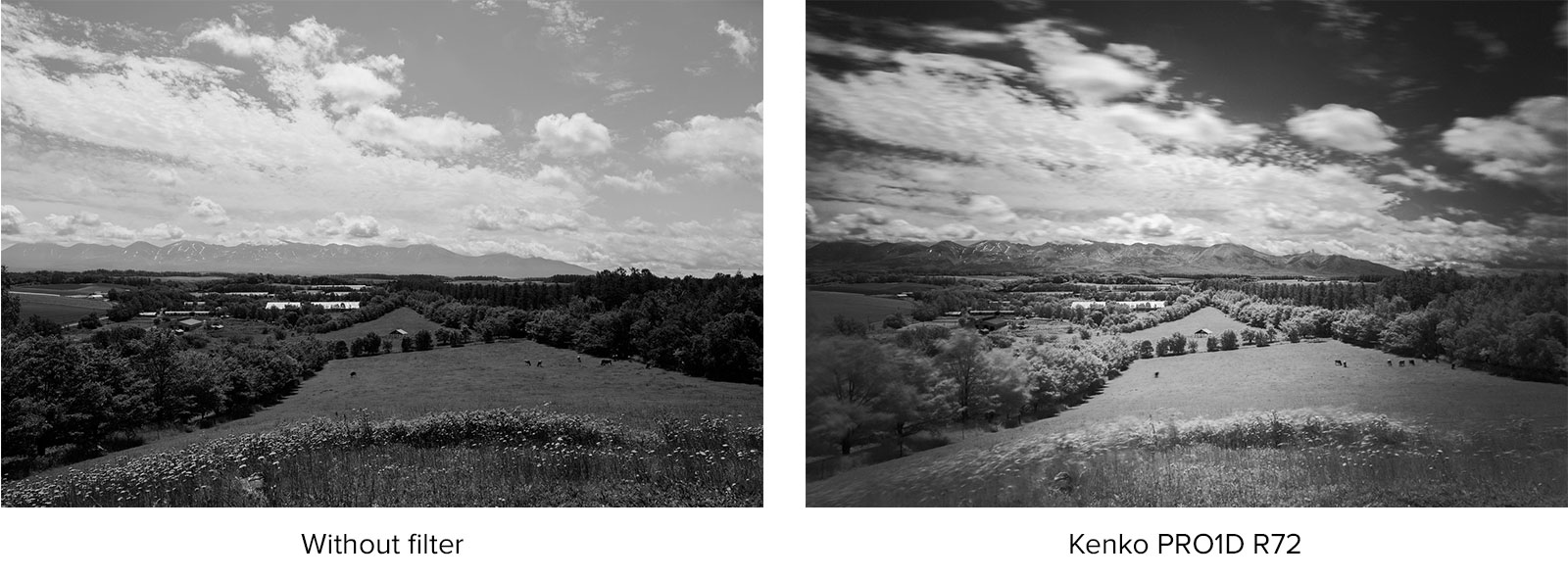
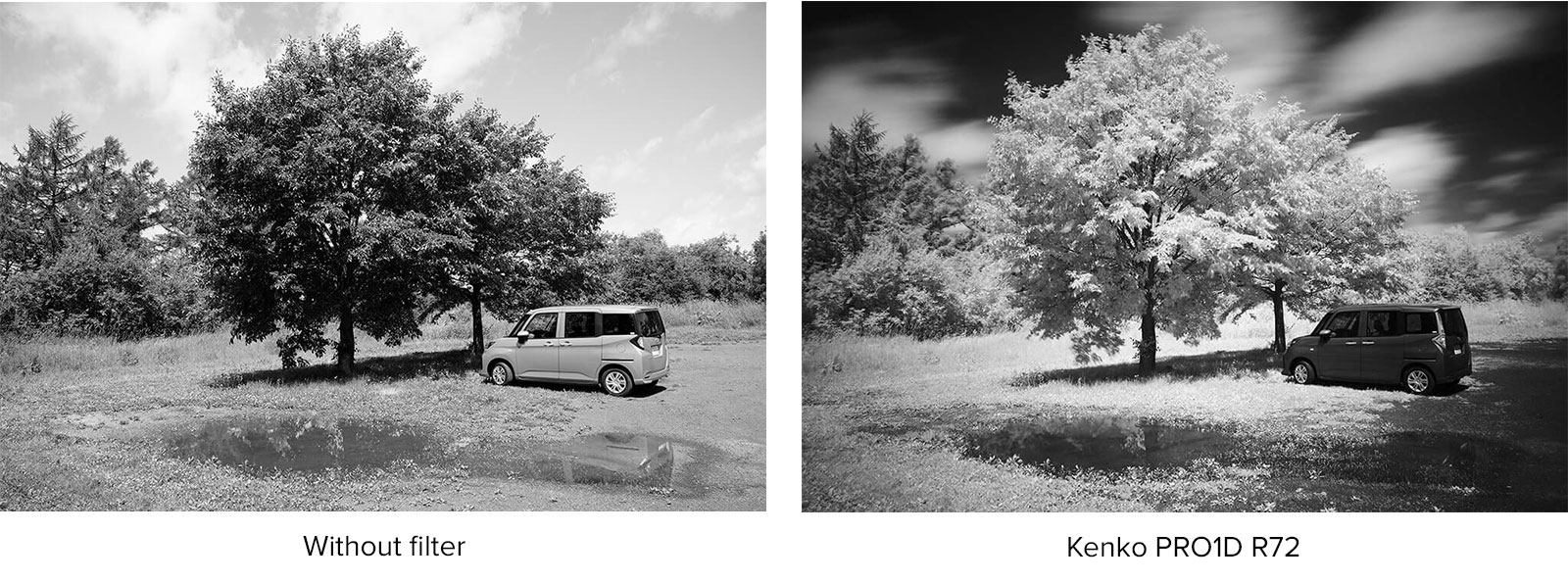
The difference between a standard photograph and an infrared image is immediately visible. While a conventional monochrome photograph records the scene as we naturally perceive brightness and contrast, infrared photography reveals how subjects reflect near-infrared light.
When using the Kenko PRO1D R72, foliage often appears bright white, while blue skies become dramatically darker. This reversal of tones creates the distinctive look that makes infrared photography so unique and visually striking.
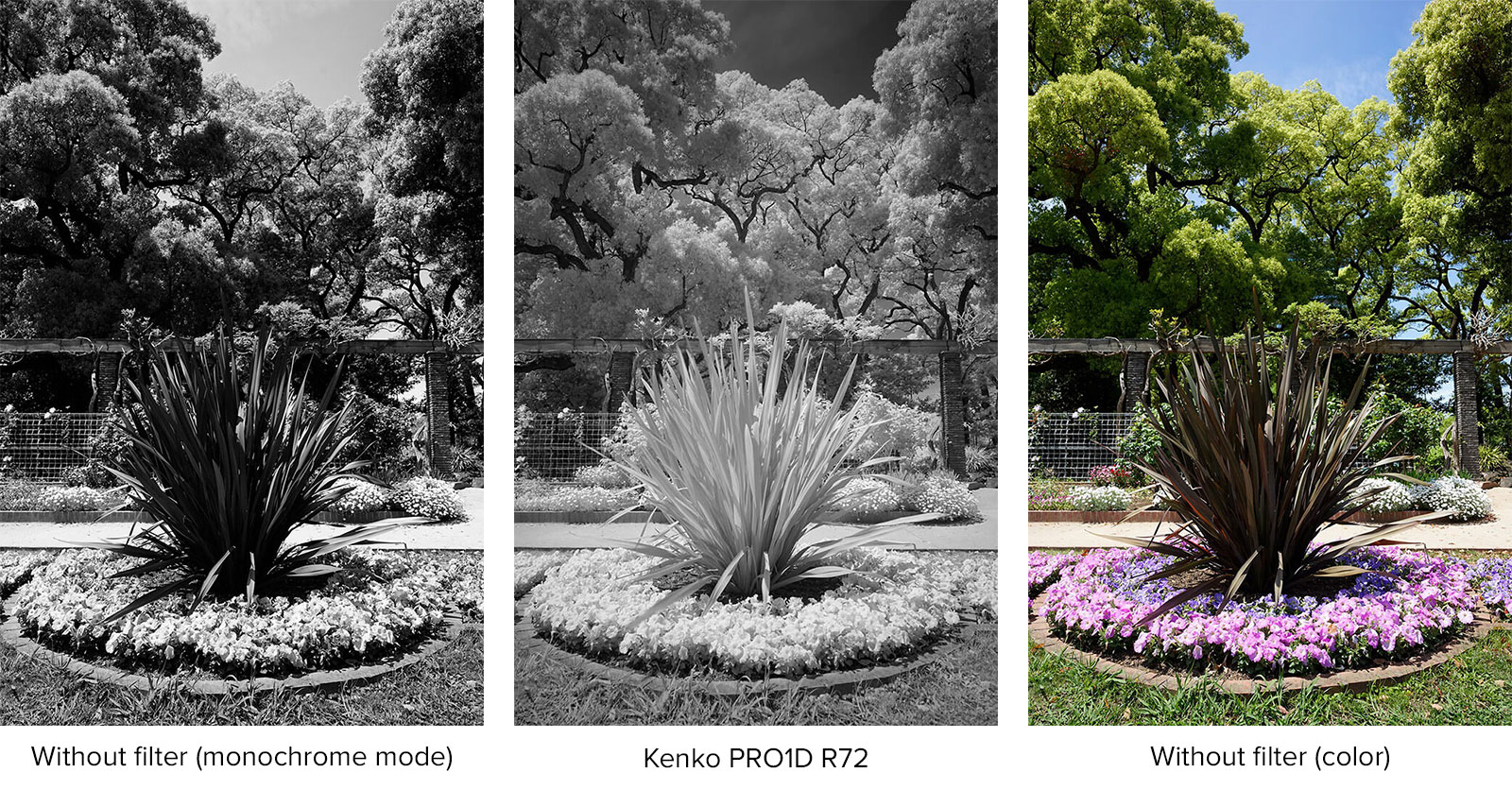
Comparing images captured with and without an infrared filter is one of the easiest ways to understand how near-infrared light can transform an ordinary landscape into something entirely different.
Key Characteristics of Infrared Photography
The Snow Effect
One of the most recognizable features of infrared photography is the way vegetation reflects near-infrared light. Green leaves, grass, and other foliage often appear bright white, while blue skies become dramatically darker.
This striking contrast creates a surreal atmosphere that can make summer landscapes resemble winter scenes covered in snow. This unique phenomenon is commonly known as the Snow Effect and is one of the defining characteristics of infrared imagery.
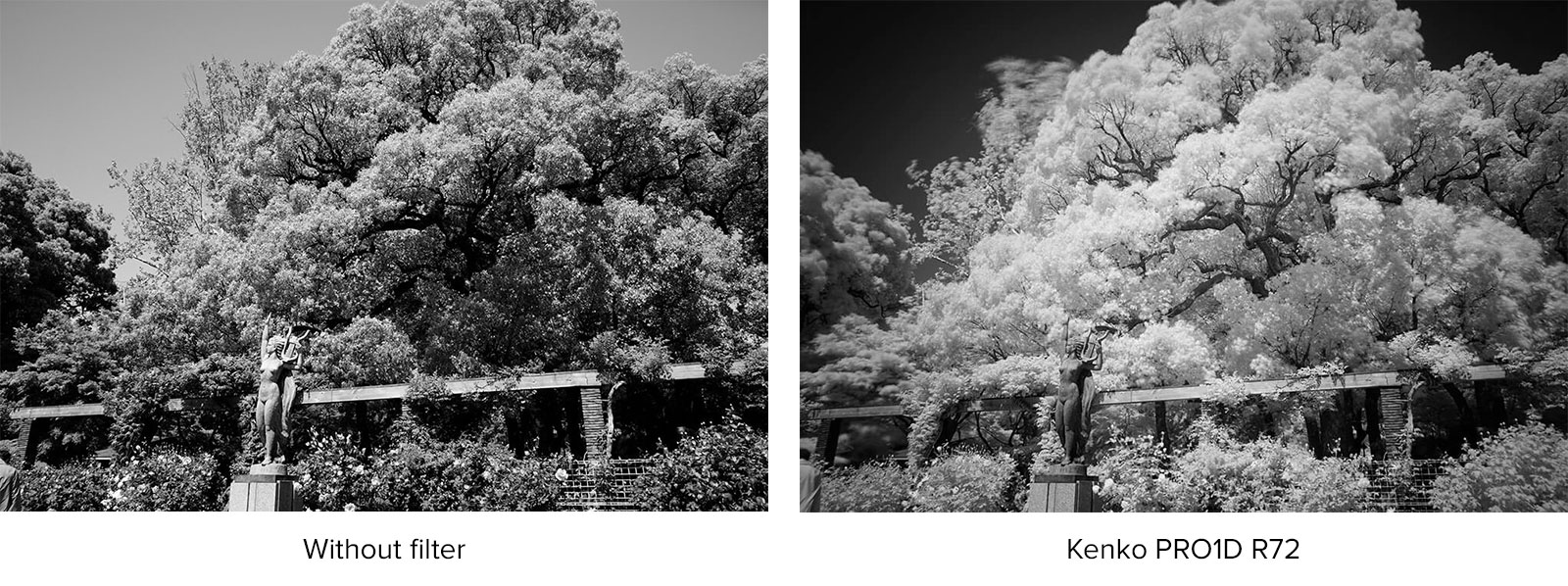
Capturing Motion with Long Exposures
Infrared photography often requires exposure times ranging from several seconds to several tens of seconds. As a result, moving subjects such as leaves, branches, and clouds can become softly blurred, adding a sense of movement and atmosphere to the image.
Rather than freezing a moment in time, infrared photography can create expressive scenes that emphasize the passage of wind and motion across the landscape.
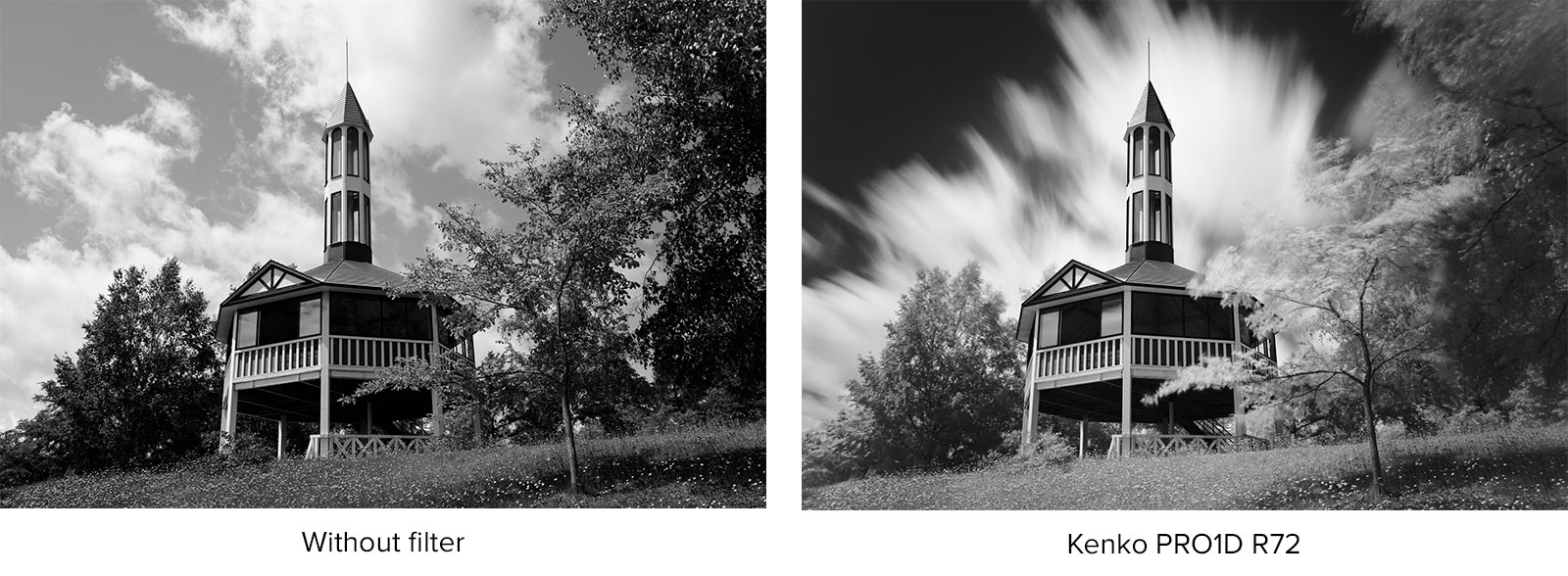
Clearer Distant Landscapes
Another advantage of infrared photography is its ability to render distant scenery with remarkable clarity. Atmospheric haze has less impact on near-infrared light than on visible light, allowing mountains, buildings, and horizons to appear more distinct.
When using the Kenko PRO1D R72, distant subjects can often be recorded with noticeably greater definition, helping reveal details that may appear muted in conventional photography.
Monochrome and Color Infrared Photography
While monochrome images are the most traditional and widely recognized form of infrared photography, color infrared photography offers additional creative possibilities.
Monochrome infrared images emphasize the dramatic contrast between bright foliage and dark skies, highlighting the unique tonal characteristics of near-infrared light. This classic approach remains a favorite among infrared photographers for its distinctive and timeless appearance.
For those looking to explore a more artistic style, infrared images can also be captured in color and processed from RAW files during post-production. By selectively adjusting and swapping color channels, photographers can create surreal color palettes that transform ordinary landscapes into imaginative and otherworldly scenes.
Whether you choose monochrome or color, infrared photography provides a unique way to interpret the world and expand your creative expression. Experimenting with both approaches can open up even more possibilities for creating distinctive images.
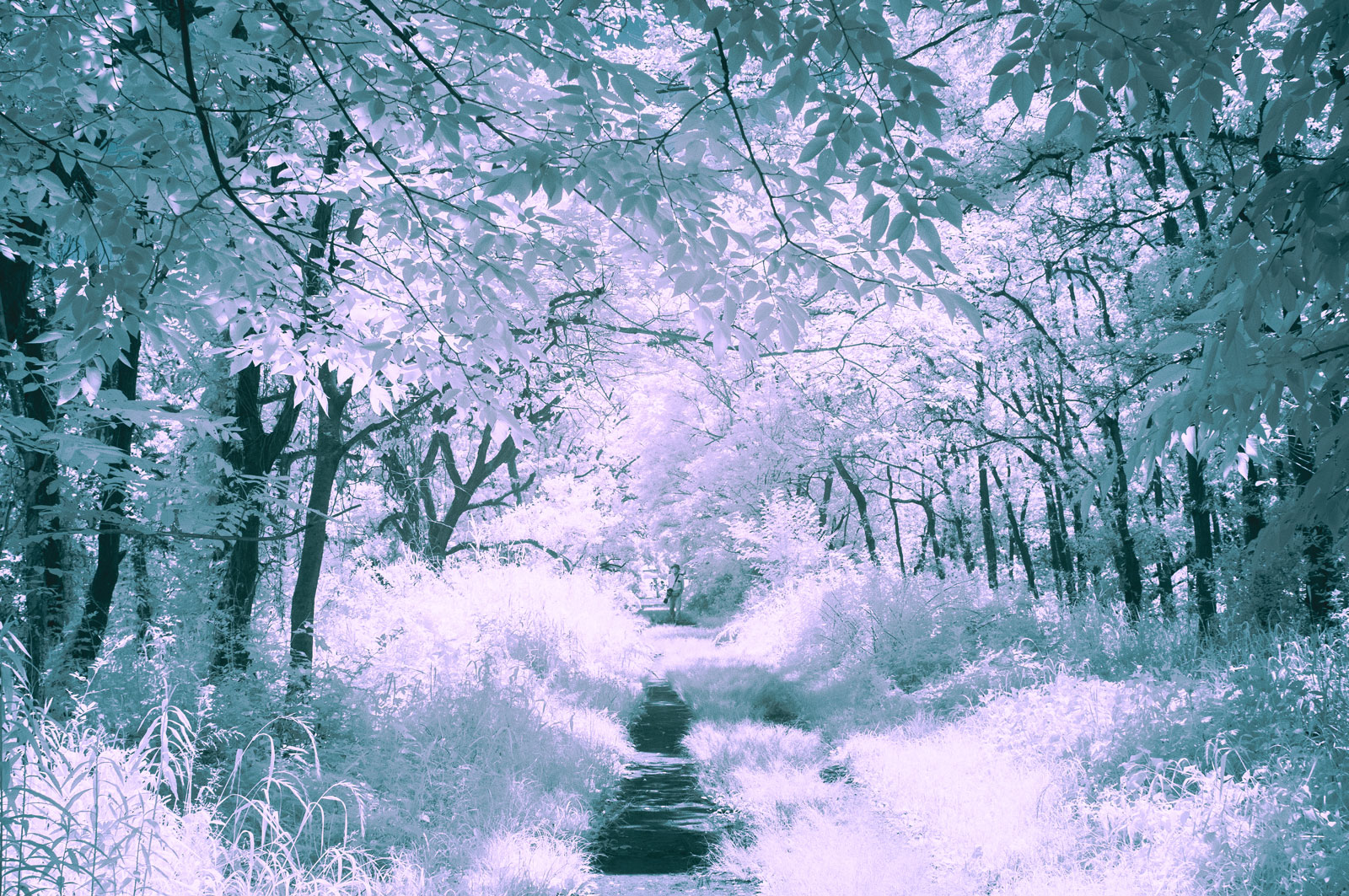
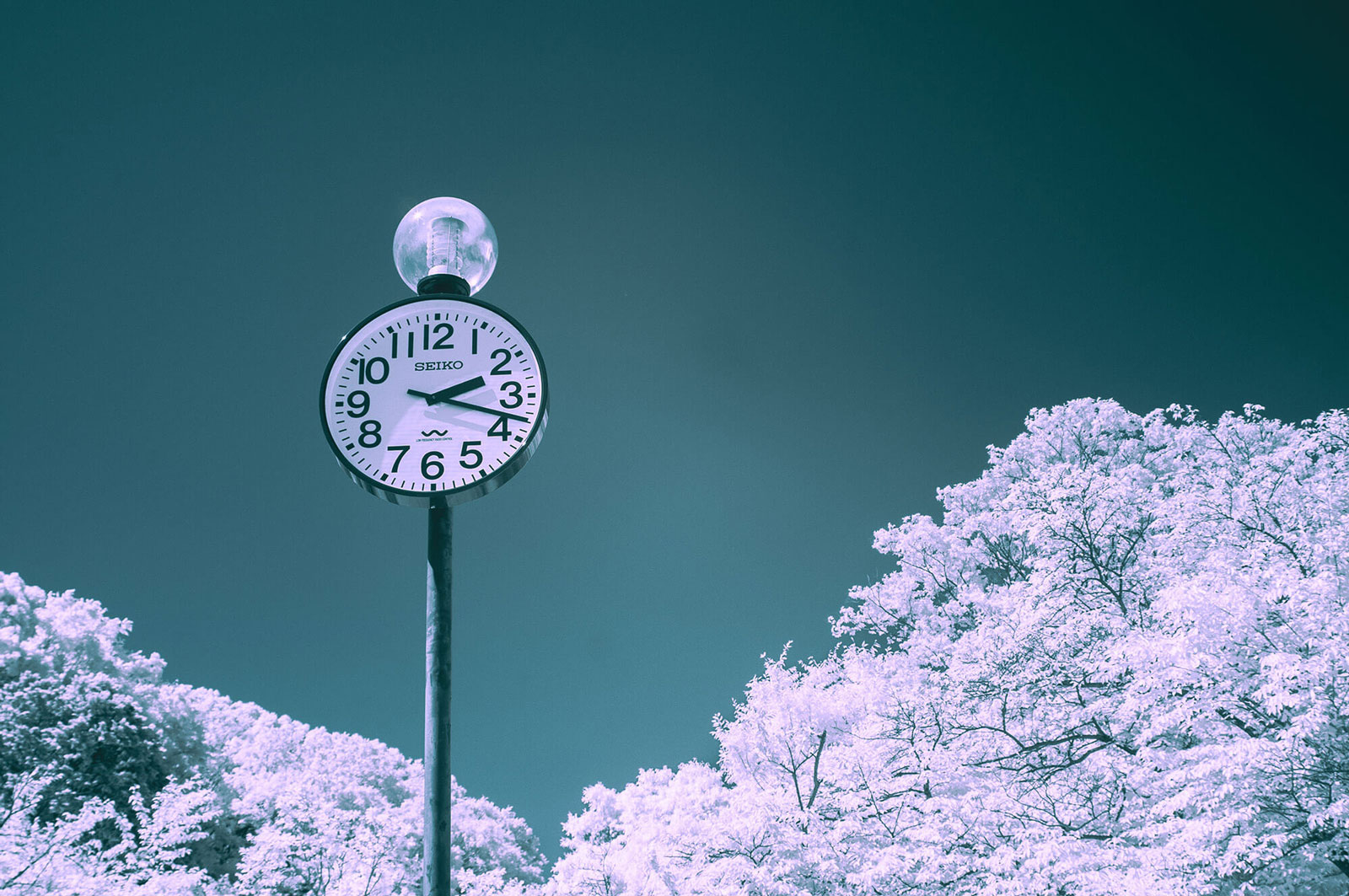
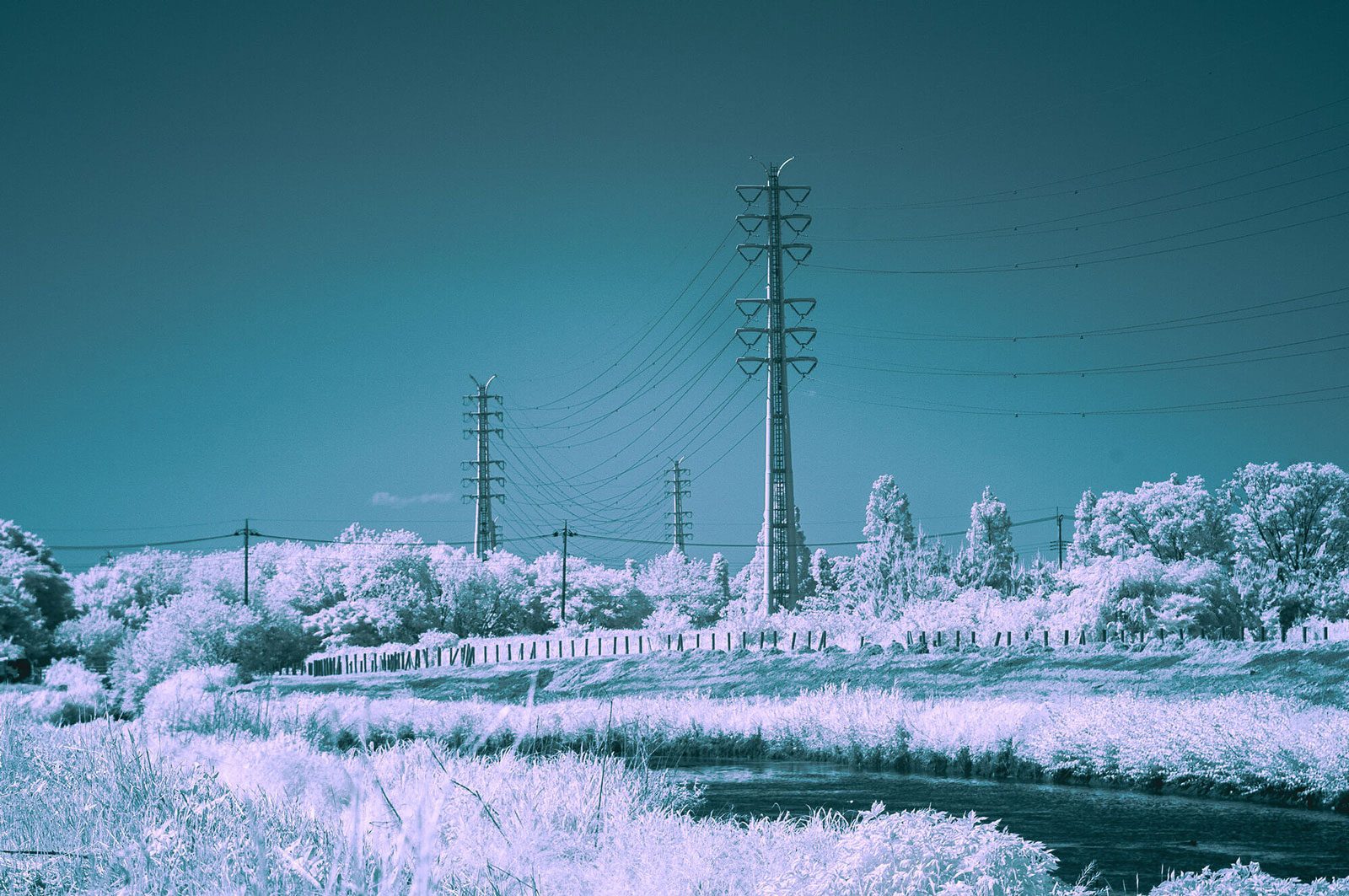
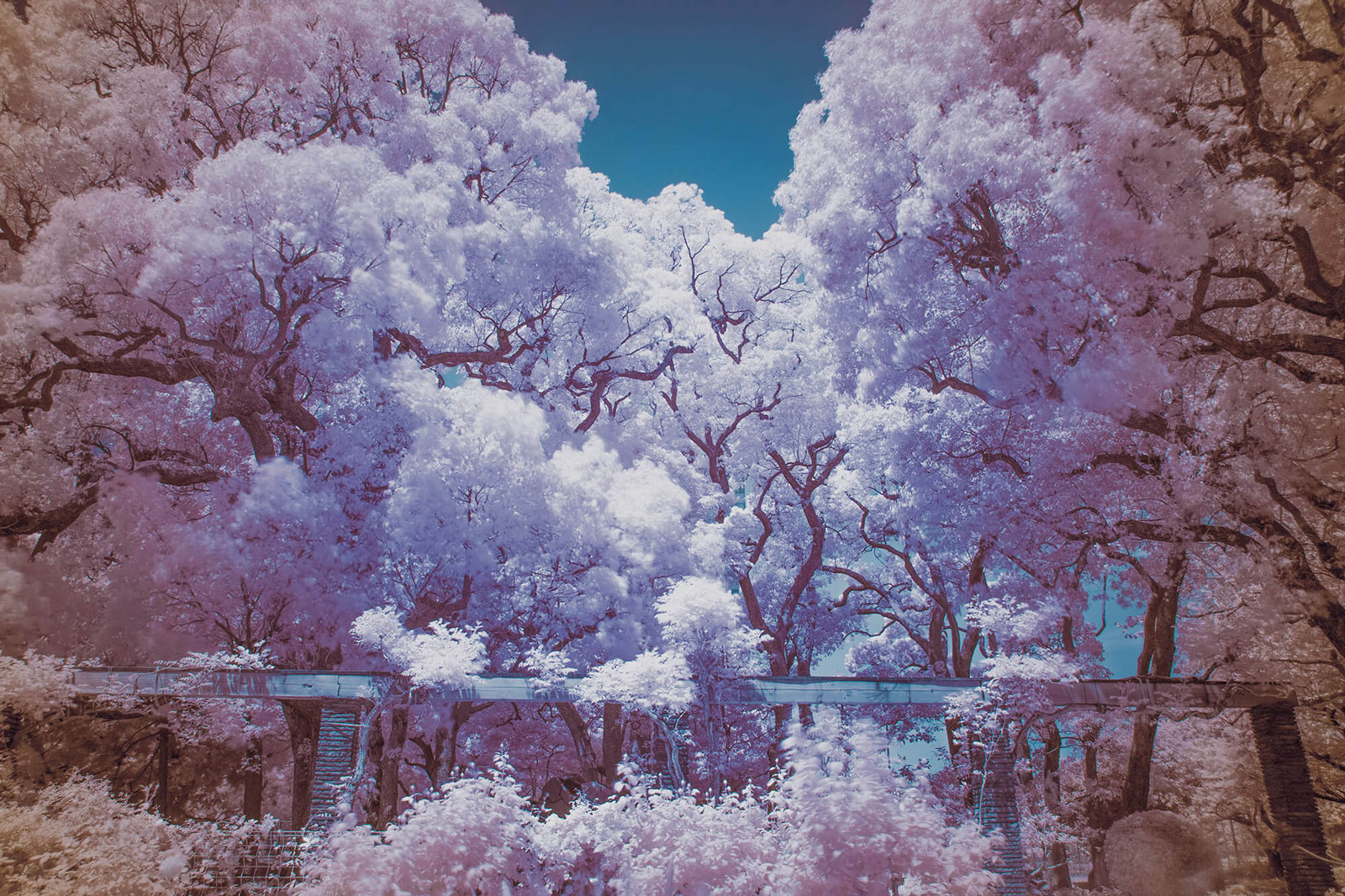
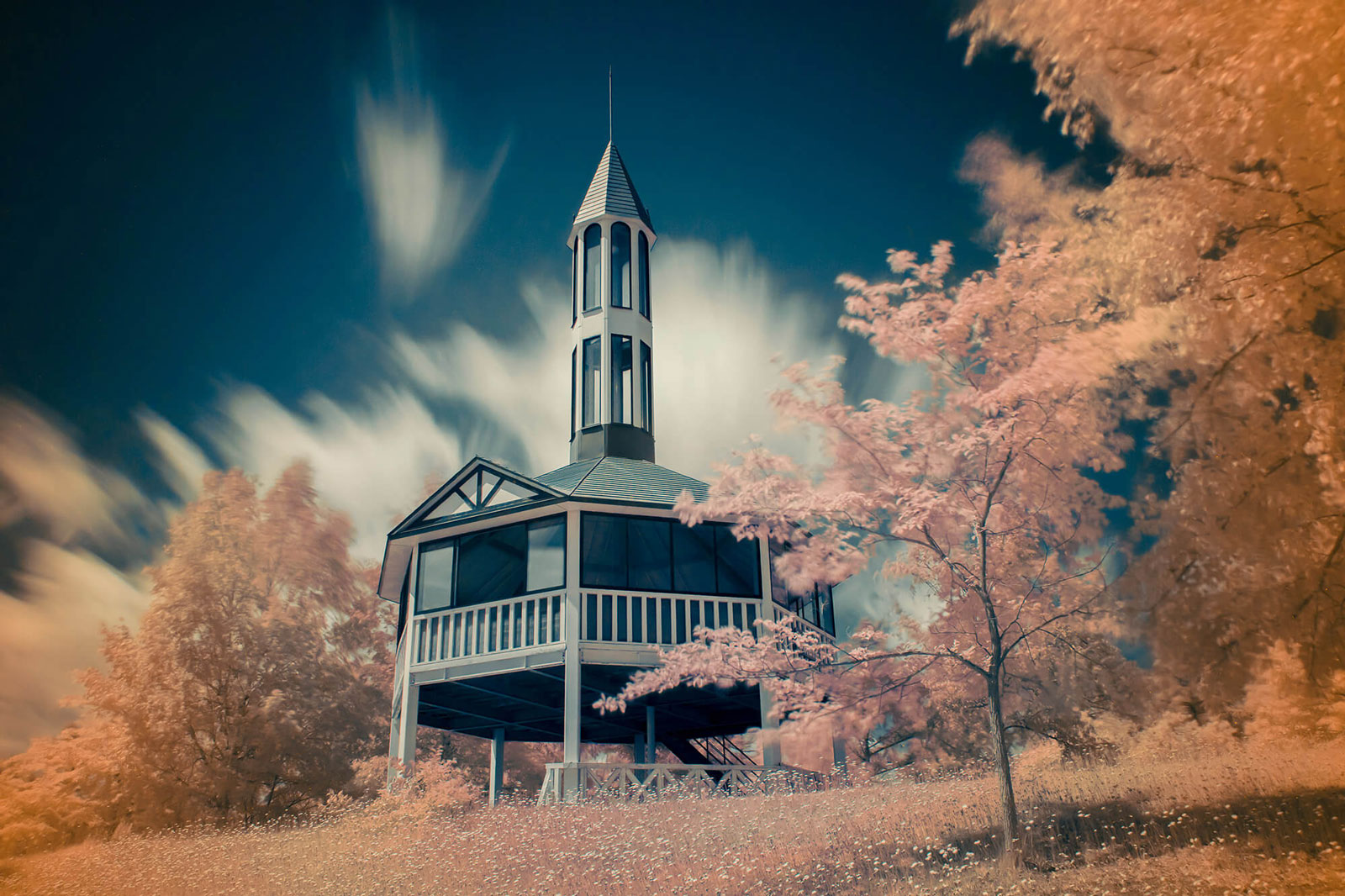
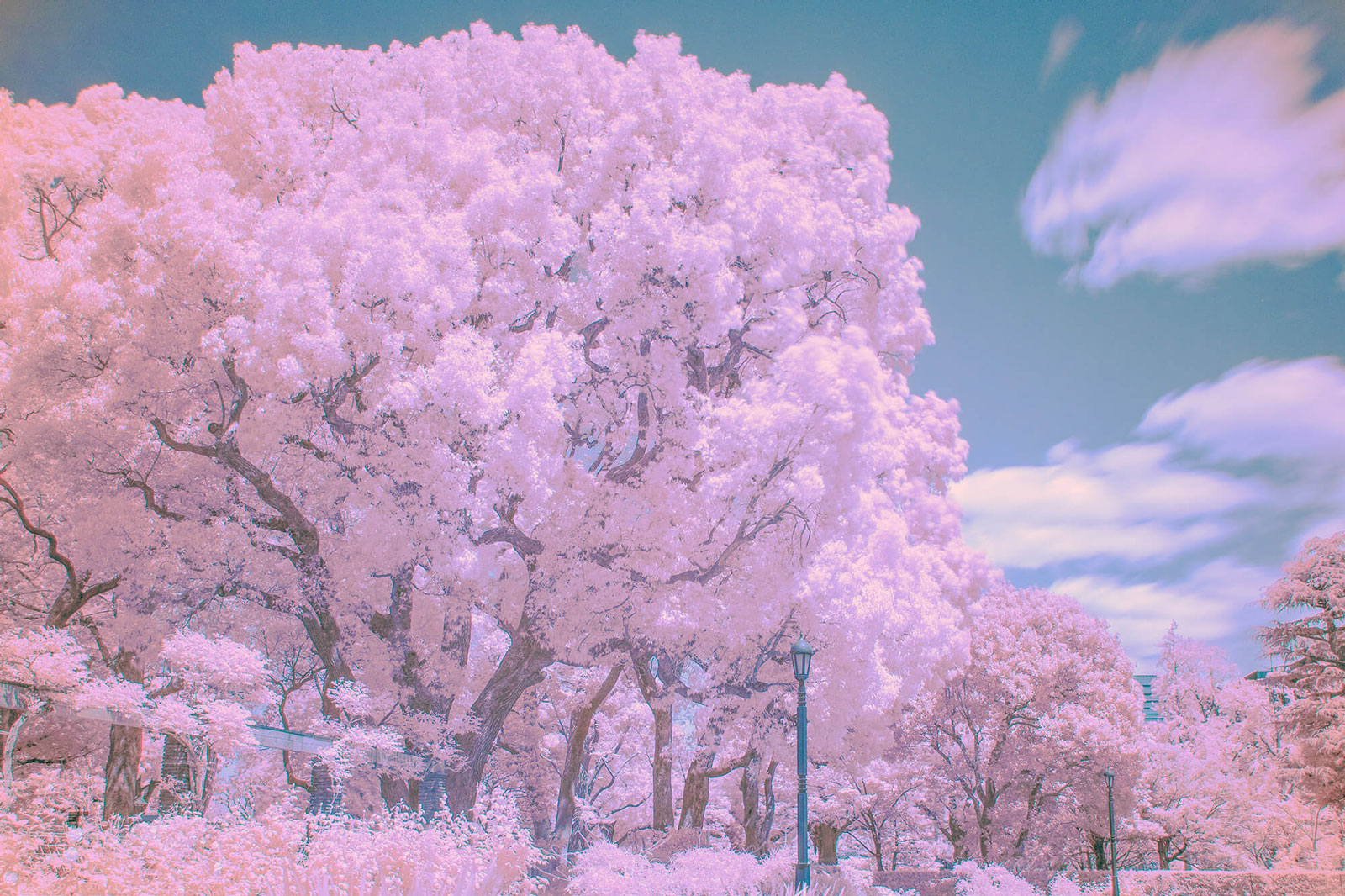
Color infrared photography allows creative color processing and unique visual styles that are impossible to achieve in conventional photography.
Camera Settings for Infrared Photography
Successful infrared photography requires a few adjustments to your camera settings. Because infrared filters significantly reduce the amount of visible light reaching the sensor, exposure times are often much longer than in conventional photography.
Shooting Mode
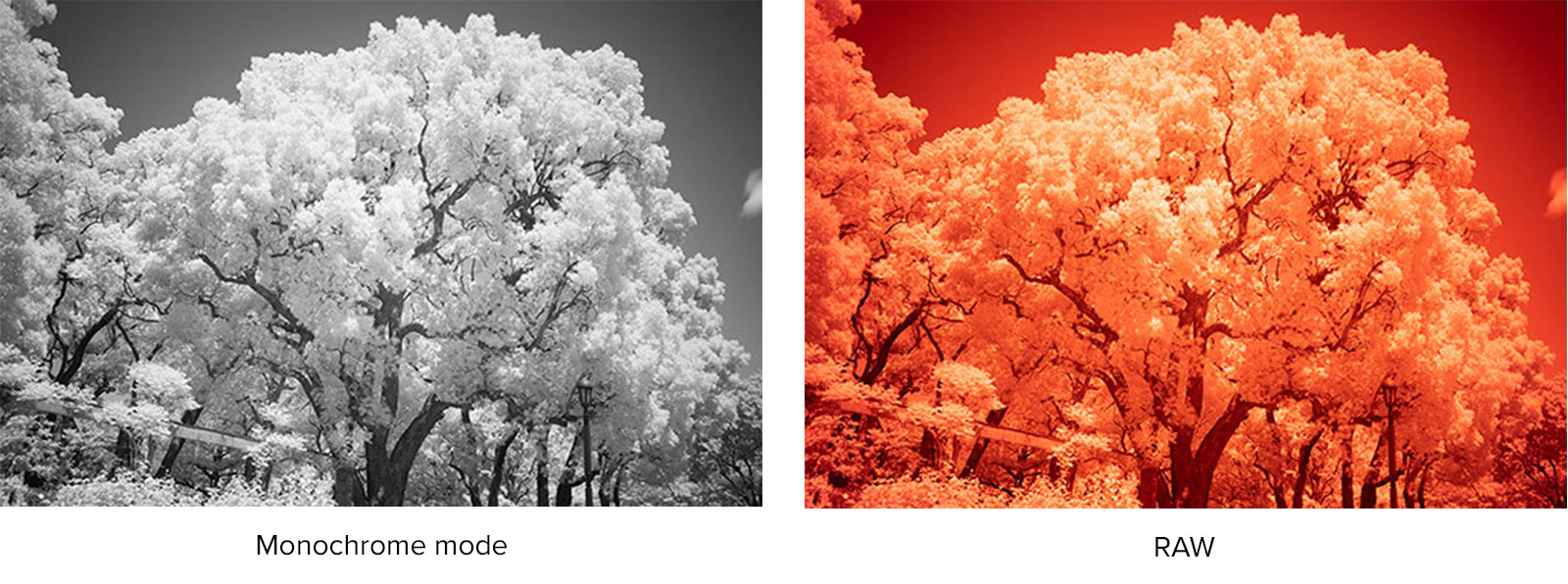
Set your camera to Monochrome Mode when creating traditional black-and-white infrared images. For the greatest flexibility, RAW + JPEG is recommended.
- Monochrome infrared photography: JPEG is usually sufficient, although RAW files provide additional editing options.
- Color infrared photography: RAW capture is essential, as color processing and channel swapping are typically performed during post-production.
ISO Sensitivity
ISO100 is generally recommended as the starting point for infrared photography. Depending on lighting conditions and the desired shutter speed, a higher ISO setting may sometimes be required.
Exposure Mode
Use either:
- Manual Exposure (M)
- Aperture Priority (A / Av)
These modes provide the best control over the longer exposures often required when using infrared filters.
Aperture
An aperture between f/5.6 and f/11 is generally recommended.
Because visible light and infrared light focus at slightly different positions, a smaller aperture helps maintain image sharpness. If your lens includes an infrared focus index mark, it can be used to fine-tune focus accuracy.
Shutter Speed
Even in bright daylight, shutter speeds may range from several seconds to several tens of seconds when using the Kenko PRO1D R72.
Since infrared sensitivity varies between camera models, review your images and adjust exposure as needed. If the image appears too dark, use a slower shutter speed or increase the ISO setting.
Focus
Manual focus is generally recommended for infrared photography, although autofocus may work depending on the camera and lens combination.
For cameras equipped with Live View, composition and focus can be checked directly on the LCD screen while the filter remains attached.
For DSLR cameras with an optical viewfinder, the view becomes extremely dark once the infrared filter is mounted. In this case, composition and focus should be adjusted before attaching the filter, and the filter may need to be removed and reattached when changing composition.
How to Shoot Infrared Photography
Infrared photography is easy to get started with once your camera is configured correctly. Follow these simple steps when shooting with an infrared filter such as the Kenko PRO1D R72.
Step 1: Set Up Your Composition
Mount the camera on a tripod, compose your image, and adjust focus. Because infrared photography often requires long exposures, a stable setup is essential for achieving sharp results.
Step 2: Attach the Infrared Filter
Carefully attach the infrared filter to the lens. Once the filter is mounted, very little visible light will reach the camera, making composition and focusing more difficult on some camera systems.
Step 3: Take the Shot
Release the shutter using a remote release, cable release, or self-timer whenever possible. This helps prevent camera shake during long exposures.
Step 4: Review and Adjust Exposure
Check the captured image on the LCD screen. If the image appears too dark or too bright, adjust the shutter speed or ISO setting and shoot again until the desired exposure is achieved.
Important Notes
Since most photographic lenses are designed for visible light rather than infrared light, image quality may vary depending on the lens used. In some cases, reduced corner illumination, lower edge sharpness, flare, or ghosting may occur.
When using a DSLR camera, be aware that stray light can enter through the optical viewfinder during long exposures. Closing the eyepiece shutter or using an eyepiece cover is recommended.
Some lenses may also produce a phenomenon known as a hot spot, where the center of the image appears brighter due to internal reflections in the infrared spectrum.
Shooting Tips for Better Infrared Images
1. Choose Subjects with Strong Infrared Contrast
The most striking infrared photographs are created when a scene contains both subjects that strongly reflect infrared light and subjects that reflect very little of it.
Subjects that typically reflect large amounts of infrared light include:
- Green leaves
- Trees and foliage
- Grass and vegetation
Subjects that reflect relatively little infrared light include:
- Blue skies
- Water surfaces
Combining these elements within a single composition helps create the dramatic contrast that makes infrared photography so distinctive. Bright white foliage set against a dark sky is one of the classic visual signatures of infrared imagery.
2. Shoot in Sunny Conditions
Bright, sunny weather provides the strongest source of infrared light and is generally the best condition for infrared photography. Summer is particularly well suited because healthy green vegetation reflects large amounts of infrared light.
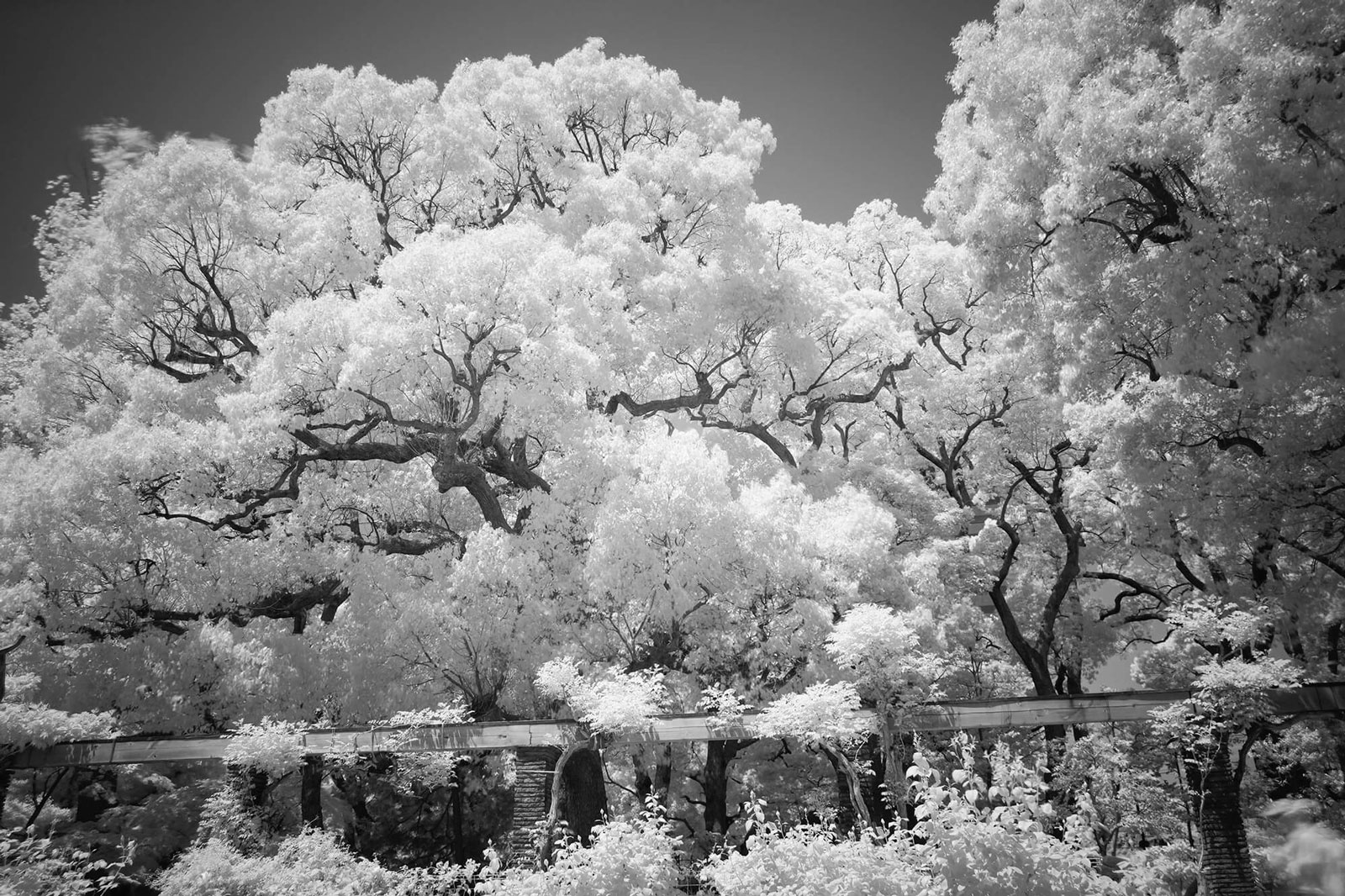
Under these conditions, trees and grass can appear brilliantly white, creating the dreamlike appearance often associated with infrared photography.
For the strongest infrared effect, front-lit scenes on clear days are recommended. Backlit subjects or scenes with strong side lighting may produce a weaker infrared response and reduced contrast.
Start Exploring Infrared Photography
Infrared photography reveals a world that exists beyond human vision, transforming familiar landscapes into striking and often surreal images. From the Snow Effect and dramatic sky contrast to enhanced distant detail and creative color processing, infrared photography offers unique opportunities for artistic expression.
Whether you prefer classic monochrome images or experimental color workflows, an infrared filter allows you to see everyday scenes from a completely different perspective. With a little practice and the right conditions, infrared photography can open up a new and rewarding creative experience.
| Product Page | Online Shop |